


WebRTC Leaks When Using a Proxy: How to Test and Reduce Exposure
WebRTC powers real-time browser features such as voice calls, video meetings, screen sharing, and peer-to-peer data transfer. It can also establish network connections differently from ordinary web requests. That distinction matters when you use a proxy, VPN, or privacy-focused browser configuration.
A WebRTC leak does not automatically mean that your browser is insecure or that every connection exposes your home address. It means a website may learn an IP address you did not expect it to see. A proper WebRTC leak test helps identify which addresses are visible, where they came from, and whether they match your privacy setup.
This guide explains how WebRTC IP exposure works, how to interpret test results, and how to reduce unnecessary exposure without assuming that one browser setting or proxy configuration guarantees anonymity.
What Is a WebRTC Leak?
A WebRTC leak is the unexpected disclosure of an IP address through WebRTC connectivity mechanisms. The issue often arises when someone has configured a proxy or VPN to show websites a different public IP address.

WebRTC stands for Web Real-Time Communication. It is a set of web standards and browser APIs that lets applications establish real-time audio, video, and data connections. Before two endpoints communicate, WebRTC gathers possible network paths called ICE candidates.
These candidates can include:
- Host candidates: Addresses associated with local network interfaces, such as a private LAN address.
- Server-reflexive candidates: A public-facing address discovered with help from a STUN server.
- Relay candidates: An address allocated by a TURN server that relays media when a direct path is unavailable.
A website running WebRTC code may inspect the candidates made available to its page. Depending on the browser, network, and settings, it may learn private network addresses, the public address observed by a STUN server, a VPN exit address, or a proxy-related address.
Why an IP address can differ from your browser’s visible IP
A conventional IP-check page usually sees the address used for its HTTP or HTTPS connection. If your browser sends that connection through a proxy, the website normally sees the proxy’s public address.
WebRTC uses separate connectivity procedures. For example, a browser may send UDP traffic to a STUN server to discover how its connection appears on the internet. If that STUN request bypasses a browser-level proxy, the STUN server may observe the network’s direct public IP instead of the proxy IP.
As a result, a browser can appear to use one address for normal browsing while exposing another during a WebRTC IP leak test.
What a WebRTC Leak Test Can Reveal
Use the ProxySocks5 WebRTC leak test to view addresses the browser makes available through WebRTC-related checks. Run it while connected normally, then repeat it after enabling your proxy or VPN. Comparing the results is more useful than examining one result in isolation.
A test can help identify several categories of information.
Public IP addresses
A public IPv4 or IPv6 address can be routable on the public internet. If you intended all browser traffic to use a proxy or VPN, an unexpected public IP deserves investigation.
However, a public address is not automatically a leak. It may correctly belong to:
- Your selected VPN exit server
- Your proxy gateway
- Your mobile or home connection, if you are testing without a privacy service
- A separate active network path, such as IPv6 outside a VPN tunnel
The important question is whether the address matches the route you expected WebRTC to use.
Private LAN addresses
Private IPv4 addresses such as 192.168.x.x, 10.x.x.x, and 172.16.x.x through 172.31.x.x are not directly routable across the public internet. They can still reveal limited local-network information, including that a device uses a private address range.
Modern browsers may conceal local addresses from web pages by using mDNS hostnames instead of exposing the literal address. This reduces direct local-IP disclosure to websites, but behavior varies by browser, version, policy, and configuration.
A private address in a test is usually less serious than an unexpected public IP. It can still matter in high-privacy workflows or environments where fingerprinting resistance is important.
IPv6 addresses
IPv6 is a common source of confusion in WebRTC testing. You may send IPv4 browsing traffic through a proxy or VPN while retaining IPv6 connectivity through your ISP. If IPv6 is not routed through the same privacy service, a test may show an IPv6 address associated with the direct connection.
Do not disable IPv6 casually as a first response. IPv6 is an important internet protocol, and disabling it can break networks or create other routing problems. First determine whether your VPN or proxy setup supports and routes IPv6 as intended. If it does not, disabling IPv6 in the relevant browser or operating system may be a temporary mitigation, but test the result carefully.
Local interface and network details
WebRTC candidate gathering can reveal clues about active interfaces, such as Wi-Fi, Ethernet, VPN adapters, or local network ranges. A single clue rarely identifies a person by itself. Combined with browser fingerprints, account activity, time zone, and other signals, it can contribute to a broader profile.
For a related discussion of browser profiles, proxies, and fingerprinting considerations, see Proxies and Anti-Detect Browsers.
How Proxies, VPNs, and Browser Routing Affect WebRTC
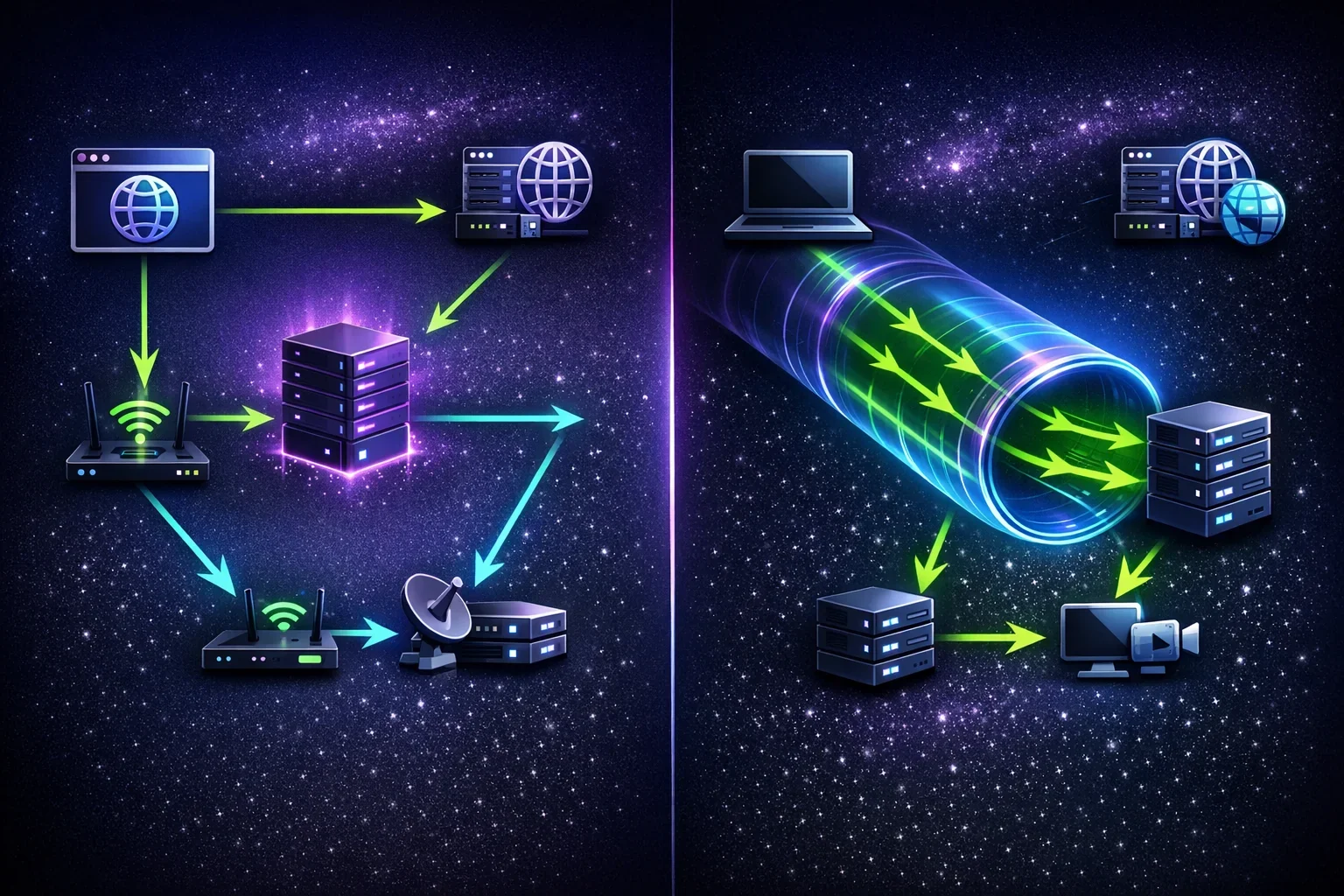
A proxy and a VPN operate at different points in the network stack, so their WebRTC behavior can differ substantially.
Browser proxy configuration
A browser proxy configuration often applies to HTTP and HTTPS requests. Whether it also applies to WebRTC traffic depends on the browser, operating system, proxy type, and implementation.
A SOCKS proxy can support more than web traffic, but support in a particular browser does not guarantee that all WebRTC connectivity will be proxied. WebRTC often relies on UDP for low-latency media and STUN/TURN communication. A SOCKS5 server’s ordinary TCP CONNECT command does not provide UDP forwarding.
SOCKS5 also defines UDP ASSOCIATE, a separate command for relaying UDP datagrams. Its availability is implementation-dependent: the browser client, proxy server, firewall, and provider configuration must all support it. Do not assume that every SOCKS5 proxy supports UDP relay.
A successful connection to a SOCKS5 proxy, or a general UDP connectivity test, does not prove that the browser is using SOCKS5 UDP ASSOCIATE for WebRTC.
If you use a SOCKS5 service, review its connection details and configure it only in applications that support the required proxy mode. ProxySocks5’s SOCKS5 proxy options are relevant for applications that support SOCKS proxy configuration, but WebRTC routing still depends on the client application and its settings.
VPN connections
A full-device VPN generally routes traffic at the operating-system network layer. When configured correctly, it can cover browser traffic, including WebRTC-related STUN requests. The result still depends on the VPN client’s routing rules.
Potential exceptions include:
- Split tunneling that excludes the browser or a network route
- IPv6 traffic not included in the tunnel
- Local-network access rules
- A disconnected or reconnecting VPN tunnel
- DNS, firewall, or kill-switch behavior that differs by platform
A VPN may provide broader routing coverage than a browser-only proxy, but it does not guarantee that no IP-related information can ever be exposed.
TURN relays and application behavior
WebRTC applications can use TURN servers to relay media. When a relay candidate is selected, the remote peer communicates with the TURN relay rather than directly with the user’s endpoint.
This can reduce direct peer-to-peer IP exposure to another call participant. It does not mean a website cannot observe other information during candidate gathering. The website operating the WebRTC application may control signaling and may receive candidate information from the browser. Actual behavior depends on the application, browser policies, and ICE configuration.
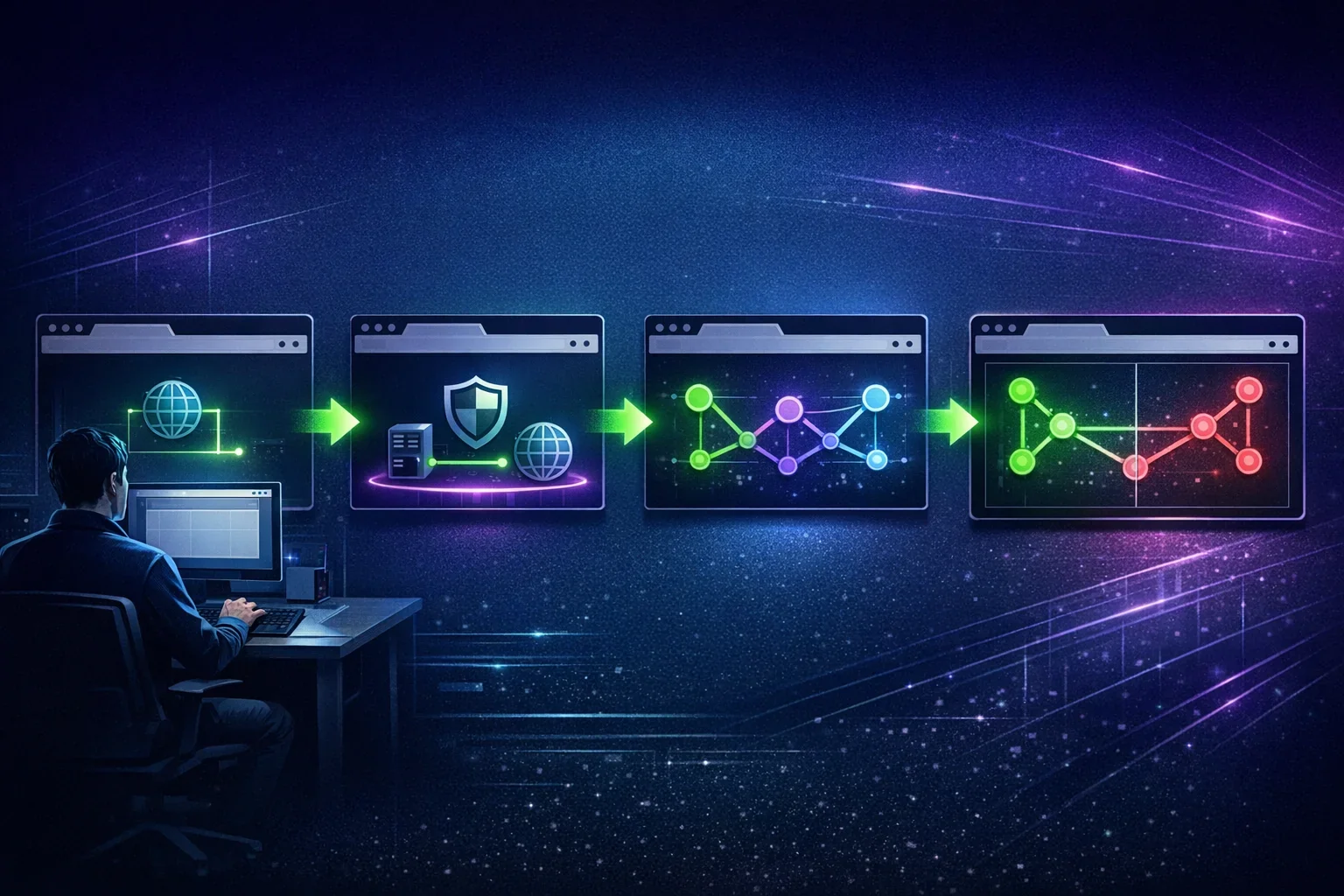
How to Perform a WebRTC Leak Test
A reliable test compares expected and observed addresses under controlled conditions.
1. Record your expected route
Before testing, identify which address a website should see.
For example:
- Without a proxy or VPN, the expected address is normally your ISP or mobile carrier’s public IP.
- With a VPN, the expected address should normally be the VPN exit IP.
- With a browser proxy, normal browser requests should normally show the proxy IP.
Also note whether your connection has IPv6 enabled. An IPv6 result may be valid even if you previously checked only an IPv4 address.
2. Test ordinary browser traffic first
Visit a standard IP-check page or your proxy provider’s connection checker. Confirm that ordinary HTTPS traffic shows the intended public IP and approximate location.
If normal traffic already shows your direct ISP address, resolve the proxy or VPN configuration problem before investigating WebRTC.
3. Run the WebRTC leak test
Open the WebRTC leak test in the same browser profile and tab context you use for normal activity. Review all reported candidate types and addresses.
Look for:
- A public IPv4 address belonging to your ISP rather than the expected proxy or VPN
- A public IPv6 address that does not belong to the intended route
- Private IP addresses or mDNS hostnames
- More than one public network identity when you expected only one
4. Repeat in a fresh private window or profile
Extensions, browser policies, cached settings, and profile-specific proxy settings can affect the result. After changing settings, test in a clean private window or separate browser profile.
A private browsing window does not route traffic through a proxy or VPN by itself. It simply helps reduce interference from extensions and existing site data.
5. Compare results after each change
Change one variable at a time. For example:
- Test with no proxy or VPN.
- Connect the VPN and test again.
- Apply a browser proxy configuration and test again.
- Enable or disable a WebRTC privacy setting, then test again.
This method makes it easier to identify which change affected the result.
How to Reduce WebRTC Exposure
The best mitigation depends on why you use a proxy or VPN and which browser features you need.
Use a browser and privacy configuration you can verify
Start with browser settings that control WebRTC local-IP exposure where available. Browser interfaces and preference names change over time, so check the current documentation for your browser version.
Some browsers provide privacy-oriented WebRTC controls, while others require enterprise policies, advanced preferences, or extensions. A setting that disables or restricts WebRTC may break browser-based calls, conferencing platforms, game streaming, remote support, and other real-time services.
After changing a setting, repeat the WebRTC leak test. Do not rely only on an extension’s description or a browser toggle’s label.
Prefer network-wide routing when appropriate
If your goal is to prevent applications from bypassing a browser-level proxy, a properly configured full-device VPN may provide more consistent routing coverage. Confirm both IPv4 and IPv6 routing, and understand any split-tunnel exclusions.
In sensitive environments, firewall rules or a VPN kill switch may help reduce the chance of direct traffic during tunnel failures. These controls are implementation-specific and should be tested before you rely on them.
Review IPv6 handling
If a test reveals an unexpected direct IPv6 address, check whether the VPN supports IPv6 and whether IPv6 is routed through the tunnel. If you use a proxy-only configuration, determine whether the browser can proxy IPv6 traffic in that mode.
Where full IPv6 routing is unavailable, a carefully tested browser-level or system-level IPv6 restriction may reduce exposure. This can affect connectivity to IPv6-only services and should not be treated as a universal fix.
Limit unnecessary extensions
Some privacy extensions modify WebRTC behavior, but extensions also gain broad access to browser data and can conflict with proxy settings. Install extensions only from trusted publishers, review their permissions, and keep them updated.
A lightweight configuration that you understand and can test is generally preferable to stacking multiple extensions with overlapping functions.
Use application-specific controls for calls
When using a video-conferencing or WebRTC-based service, review the application’s own privacy and network settings. Some applications offer relay-only modes or administrative controls that influence peer-to-peer connectivity. These controls may affect call quality and availability.
If preventing peers from learning a direct address is essential, confirm whether the application uses TURN relays for that scenario. A generic browser setting cannot guarantee that every WebRTC application uses the same path.
Troubleshooting an Unexpected WebRTC IP Address
The test shows my ISP’s IPv4 address
First, verify whether your proxy is configured only for HTTP and HTTPS traffic. If so, WebRTC’s STUN traffic may be taking another path.
Try these steps:
- Confirm that ordinary browser traffic uses the proxy or VPN.
- Check whether your browser supports proxying WebRTC traffic in its current configuration.
- Test with a full-device VPN instead of a browser-only proxy.
- Review the browser’s WebRTC privacy settings.
- Retest after each change.
Do not assume that a SOCKS5 proxy will relay WebRTC UDP traffic unless the client and proxy setup explicitly support the required UDP behavior.
The test shows an unexpected IPv6 address
This commonly indicates that IPv6 is outside the VPN tunnel or proxy route. Check your VPN’s IPv6 support and your operating system’s active interfaces. Then rerun the test after correcting the route.
The test shows a private address or mDNS hostname
This result may indicate local candidate gathering rather than public IP exposure. It is still worth noting in privacy-sensitive workflows, but distinguish it from a public address visible to websites or peers.
If literal private addresses appear and you do not want websites to receive them, review the browser’s local-IP and mDNS-related WebRTC controls.
WebRTC stopped working after I changed settings
This may be an expected trade-off. Blocking WebRTC or restricting UDP can prevent video, voice, and data channels from connecting.
Re-enable features selectively and test the affected application. If the application supports a relay-only option, it may offer a workable compromise between direct connectivity and IP exposure.
Limitations of WebRTC Leak Prevention
No single check proves complete privacy. A WebRTC leak test assesses the addresses and candidates available in a specific browser, on a specific network, at a specific time.
It does not prove that:
- Every application on the device uses the same route
- A SOCKS5 proxy supports UDP relay
- A browser will retain the same behavior after an update
- A VPN has no routing, DNS, or reconnection issues
- Websites cannot identify a user through cookies, account logins, browser fingerprinting, or other signals
- Another user can never learn an address during a particular calling workflow
WebRTC prevention methods can also reduce functionality. Disabling peer connections may prevent legitimate calls from working, while forcing relays can add latency and rely on the application’s TURN infrastructure.
The practical goal is not an unsupported promise of perfect anonymity. It is to understand what your browser exposes, align routing with your threat model, and verify the result whenever you change networks, browsers, proxies, or VPN settings.
FAQ
1. What is a WebRTC leak test?
A WebRTC leak test checks which IP addresses and network candidates a browser may expose through WebRTC. It can help identify whether a public ISP address, VPN address, proxy-related address, IPv6 address, or local network detail is visible.
2. Can a proxy prevent a WebRTC leak?
Sometimes, but it depends on the browser and proxy configuration. Browser proxies may route ordinary web requests while WebRTC uses separate connectivity paths. SOCKS5 `CONNECT` handles TCP connections; UDP relay requires separate `UDP ASSOCIATE` support from both the client and proxy infrastructure.
3. Does a VPN stop all WebRTC IP leaks?
Not necessarily. A properly configured full-device VPN can route WebRTC traffic through the tunnel, but split tunneling, IPv6 routing gaps, tunnel failures, and browser behavior can create exceptions. Test the actual configuration rather than assuming coverage.
4. Is a private IP address in a WebRTC test dangerous?
A private address is not publicly routable, so it differs from exposing a public ISP IP. It may still reveal limited information about local network configuration and contribute to browser fingerprinting. Its privacy significance depends on your use case.
5. Does a UDP test prove my SOCKS5 proxy supports WebRTC?
No. General UDP connectivity only shows that some UDP path works. SOCKS5 UDP proxying requires the client to use the SOCKS5 `UDP ASSOCIATE` command, and the proxy server and network must support UDP relay. A browser’s WebRTC implementation may use different routing behavior.

Buy Proxy, SOCKS5 & ShadowSocks Now
Buy Proxy now HTTP Proxies or SOCKS5, Dedicated or Shared, Residential or Datacenter. Fully Anonymous and Premium.
Buy Proxy


What Can We Offer You?
We offer a unique proxy infrastructure, monitored 24/7 with a 99% uptime. In the rare event of a failure, we take immediate action to resolve the issue.
Fast HTTP and SOCKS5 Proxies
Our proxy servers are optimized for performance, powered by a 1Gb/s network. Whether you use our residential or datacenter proxies, you'll experience seamless performance.
Privacy and Security Built In
Our static proxies and VPNs (residential or datacenter) ensure 100% anonymity without any IP or DNS leaks. We maintain a no-logs policy.
Pick Country, State, or City
Select proxies by city, state, or country. Our static IP proxies, VPNs, residential or datacenter, can be filtered by your desired location. Residential proxies can also be filtered by ISP.
Proxies With Unlimited Bandwidth
Our Dedicated, Shared, Residential Proxy, SOCKS5, Shadowsocks, and VPNs offer unlimited bandwidth, allowing you to use them as much as you need without any concerns.
QUIC and UDP Support
We are supporting QUIC and UDP on SOCKS5, Shadowsocks, and WireGuard VPN for apps that need faster, real-time traffic.
Amnezia VPN Obfuscation
We are offering Amnezia-based obfuscation for VPN users who need traffic to look more like regular HTTPS.
Choose Your TCP Fingerprint
We offer static Proxies and VPNs with Windows as the default TCP fingerprint, plus MacOs, Linux, Android, and iOS options.
Instant Activation, No Waiting
Purchase proxies with Instant Activation using a Card or PayPal. Transactions with cryptocurrencies require network confirmations.
Dual Authentication
Opt for username and password authentication, or authenticate by adding your IP address to our system. Access your proxy password or add your IP in your account.
Monthly IP Refresh
We offer monthly proxies, both residential and datacenter. For long-term purchases, we provide the option to change proxies directly in your account.
Helpful Support When You Need It
We understand the importance of support. If you have questions about our services, contact us via Live Chat. For any issues, open a support ticket in your account.
Multiple Payment Methods: From Card to Crypto
Buy proxies with Card, PayPal, Bitcoin (BTC), Ethereum (ETH), Litecoin (LTC), Solana (SOL), TRON (TRX), Toncoin (TON), BNB, Polygon, Avalanche, XRP, Cardano, Dogecoin, USDT, USDC, DAI, EURT, and 70+ supported cryptocurrencies.
Our Services
We offer a variety of static and dynamic IP solutions designed for legitimate business and technical use, with global coverage tailored to your project requirements.


High quality & private proxies
Dream no more! Get acquainted with our products today: protected proxy-servers, at incredible speed and minimum cost from you. Still not convinced? Check our proxies features out: - work with any sites/programs - supports HTTP/HTTPS, SOCKS5, ShadowSocks, Trojan protocols - simple login: your proxy password or by your IP
With our proxies you get fast, stable and most important, an anonymous tool to get by on the internet. High quality proxies is our motto. Try our products today: spare 5 minutes from your time to gain continuos work-flow.
Buy Proxy