


Residential SOCKS5 Proxies vs HTTP(S): Protocol Compatibility and Selection Guide
Residential IPs and Proxy Protocols Are Different Choices
When comparing residential SOCKS5 proxies with HTTP(S) proxies, separate two decisions that are often treated as one:

- What type of IP address will the destination see?
- Which proxy protocol can the application use?
A residential proxy uses an IP address associated with an internet service provider’s residential network or supplied through a residential IP arrangement. This IP type can affect how a destination classifies the network origin, but it does not guarantee access, trust, privacy, or approval from a website.
SOCKS5 and HTTP describe proxy protocols. They define how a client communicates with a proxy server. The term “HTTPS proxy” is ambiguous: it may refer to an HTTP proxy that tunnels HTTPS destinations with CONNECT, or to an HTTP proxy endpoint protected by TLS. None of these terms alone identifies whether the exit IP is residential, datacenter, mobile, static, or rotating.
For example, an application may connect to:
- A residential IP through a SOCKS5 proxy endpoint
- A residential IP through an HTTP proxy endpoint
- A datacenter IP through a SOCKS5 proxy endpoint
- A static or rotating IP through either protocol, depending on the provider’s implementation
This distinction matters. A residential IP does not make an incompatible application support SOCKS5, and a SOCKS5-capable tool cannot use an HTTP-only endpoint without a compatible intermediary.
For a broader introduction to IP and proxy categories, see Different Proxy Types Explained.
How Residential SOCKS5 Proxies Work
SOCKS5 is a general-purpose proxy protocol defined in RFC 1928. Rather than interpreting web requests, it accepts a request from a client to create a connection to a destination.

The most common SOCKS5 command is CONNECT, which asks the proxy to establish a TCP connection to a hostname or IP address and port.
A simplified TCP connection flow looks like this:
- Your application opens a TCP connection to the SOCKS5 proxy.
- The client and proxy negotiate an authentication method.
- The client sends a
CONNECTrequest for a destination, such asexample.com:443. - The proxy opens the requested destination connection.
- The proxy relays bytes between the application and destination.
Once the tunnel is established, SOCKS5 generally does not need to understand whether the traffic is HTTP, HTTPS, SSH, email, or another TCP-based protocol. That broader compatibility is a major reason a socks5 residential proxy can be useful with applications that do not support HTTP proxy settings.
However, “supports SOCKS5” should be interpreted carefully. The client must explicitly implement SOCKS5 support. An operating system proxy setting does not automatically force every application to use SOCKS5, and some applications support only HTTP proxies.
How HTTP and HTTPS Proxies Work
HTTP proxies are designed around HTTP traffic. A browser, script, or HTTP client sends requests to the proxy, which forwards them to the destination.

For an ordinary HTTP destination, the proxy can receive an HTTP request containing the full destination URL. It then makes its own request to the website and returns the response.
HTTPS destinations are usually handled with the HTTP CONNECT method:
- The client asks the HTTP proxy to connect to a destination host and port, typically port 443.
- The proxy creates a TCP tunnel to that destination.
- The client performs a TLS handshake directly with the destination through the tunnel.
- The encrypted HTTPS session continues inside the tunnel.
An HTTP proxy can therefore carry HTTPS website traffic without decrypting it, provided it supports CONNECT tunneling and the client is configured correctly.
The term HTTPS proxy can mean either:
- An HTTP proxy that tunnels HTTPS destination traffic using
CONNECT, or - A proxy endpoint where the connection between the client and proxy is protected with TLS
These are separate properties. Check the provider’s endpoint documentation and your software’s proxy scheme requirements rather than assuming that “HTTPS proxy” has one universal meaning.
Residential SOCKS5 vs HTTP Proxy: Core Differences
| Factor | Residential SOCKS5 proxy | Residential HTTP(S) proxy |
|---|---|---|
| Primary design | General TCP proxying | Web and HTTP-client proxying |
| Typical browser support | Often supported, depending on browser settings | Widely supported |
| Non-web TCP applications | Often suitable when the app supports SOCKS5 | Possible through CONNECT when the client and proxy support it, but less commonly configured |
| HTTP request awareness | Does not need to interpret HTTP | Can process HTTP proxy requests |
| HTTPS website access | TCP tunnel carries destination TLS | Usually handled through CONNECT |
| DNS behavior | May be local or proxy-side, depending on client configuration | Depends on client, proxy mode, and hostname handling |
| UDP capability | SOCKS5 specifies UDP ASSOCIATE, but support is optional | Standard HTTP proxying is not a general UDP relay |
| Authentication | Protocol authentication methods or provider controls | Proxy authentication headers or provider controls |
Neither protocol is inherently better for every residential proxy use case. The right choice depends on the application, traffic type, destination requirements, and the provider’s documented capabilities.
Choosing Compatibility by Application Type
Web Browsers
Modern browsers commonly support HTTP proxy settings, and many also support SOCKS proxy configurations. The practical question is whether the browser routes the traffic you need through the configured proxy.
For normal web browsing, either an HTTP(S) proxy or a SOCKS5 endpoint may work if the browser supports it. Before relying on a configuration, test:
- Which public IP a website sees
- Whether HTTPS pages load normally
- Whether DNS resolution behaves as expected
- Whether browser extensions, WebRTC, or other features create direct connections outside the proxy path
A proxy configuration does not automatically prevent every possible IP exposure. WebRTC, DNS settings, browser policies, extensions, and direct connections made by other applications require separate review.
Command-Line Tools and Scripts
Many command-line HTTP clients support both HTTP and SOCKS proxy schemes, but the syntax differs by tool.
For example, a tool may distinguish between:
http://proxy-host:porthttps://proxy-host:portsocks5://proxy-host:portsocks5h://proxy-host:port
The h in socks5h is commonly used by some tools to request hostname resolution through the SOCKS proxy. This is tool-specific syntax, not a separate SOCKS protocol version.
For HTTP API requests, an HTTP proxy is often the simplest option because the application already understands HTTP. For an application that must connect to a non-HTTP TCP service, SOCKS5 may be more compatible if the client supports it.
Automation and Data Collection Tools
Automation tools vary considerably. Some accept only an HTTP proxy URL; others support SOCKS5. Some apply proxy settings only to browser traffic, while others also apply them to network calls made by the underlying runtime.
Before choosing between residential proxies SOCKS5 and HTTPS endpoints for an automation workflow, confirm:
- The exact proxy schemes the tool accepts
- Whether authentication is supported
- Whether proxy settings apply to all relevant requests
- Whether the tool performs DNS resolution locally
- Whether the IP should remain stable during a session
- Whether the activity complies with the destination’s terms, technical controls, and applicable law
Use rate limits, caching, clear identification where appropriate, and permission-based access. A proxy should not be treated as a way to bypass access controls or evade a site’s rules.
Non-Web Software
SOCKS5 can be useful for applications that need TCP connectivity beyond web browsing, including certain database clients, remote administration tools, and developer utilities. The application must still expose SOCKS5 settings or use a separately configured proxy-aware wrapper.
HTTP CONNECT can create a bidirectional TCP tunnel that carries non-HTTP traffic when the client supports that workflow, the proxy permits the requested destination and port, and provider policies allow it. In practice, SOCKS5 is often more broadly supported and straightforward for non-web TCP applications, while CONNECT support for these workflows is more implementation-dependent.
Authentication and Access Controls
Commercial residential proxy services commonly use one or both of these access controls:
- Username and password
- IP allowlisting, sometimes called IP whitelisting
SOCKS5 defines a negotiation process in which the client and server select an authentication method. Username/password authentication for SOCKS5 is specified separately in RFC 1929.
RFC 1929 username/password authentication sends the password in cleartext. If the connection between the client and SOCKS5 proxy can be observed, protect it with a separate secure transport or tunnel where appropriate. HTTPS to the final destination does not protect credentials sent from the client to the SOCKS5 proxy.
HTTP proxy authentication generally uses HTTP authentication mechanisms, commonly through a Proxy-Authorization header after a 407 Proxy Authentication Required response.
IP allowlisting is different. It is a provider-side rule that permits connections only from approved source IP addresses. It is not a SOCKS5 authentication method and does not replace protocol compatibility.
If a connection fails, identify where the failure occurs:
- Connection refused or timeout: host, port, firewall, network route, or endpoint availability issue
- Authentication failed: incorrect credentials, expired credentials, unsupported authentication method, or allowlist mismatch
- Proxy connection succeeds but destination fails: destination hostname, port restrictions, DNS behavior, destination policy, or proxy-side filtering
- Browser works but a script fails: different proxy scheme, environment variable, DNS mode, or authentication handling
For a detailed explanation of these controls, read SOCKS5 Proxy Authentication: Username & Password vs IP Whitelisting.
DNS Handling: A Small Setting With Major Consequences
DNS converts a hostname such as example.com into an IP address. With proxies, the key question is: does the client resolve the hostname locally, or does the proxy resolve it?
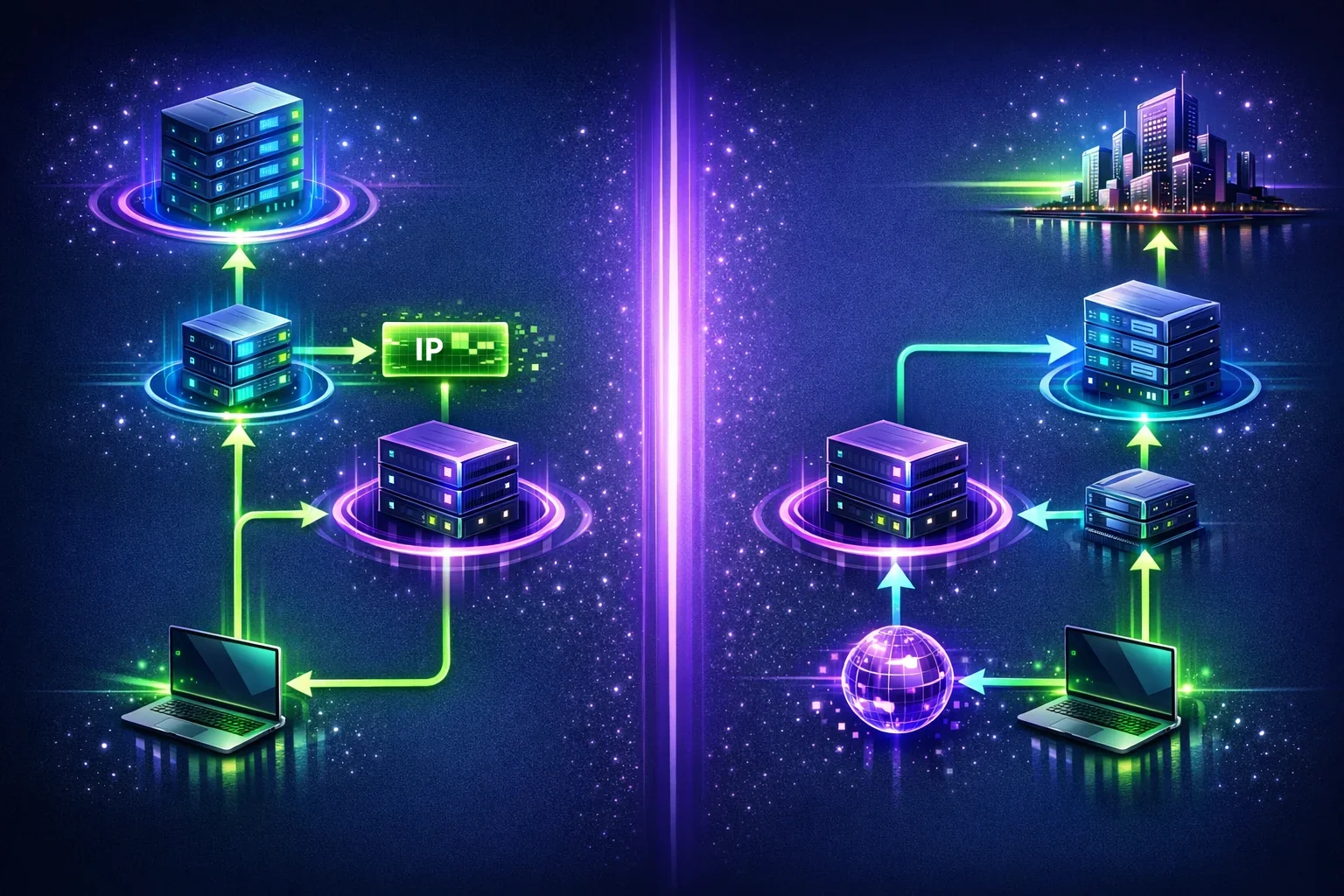
With SOCKS5, a client can send either an IP address or a domain name in its request. If it sends a domain name, the proxy can resolve that name before connecting. If the client resolves the hostname first, local DNS infrastructure may receive the lookup even though the subsequent TCP connection uses the proxy.
With HTTP proxies, the result depends on the request type and client behavior. For ordinary HTTP proxy requests, the proxy receives the destination hostname in the URL. For HTTPS CONNECT requests, the proxy receives the requested hostname and port. However, browser DNS behavior can still be affected by local settings, secure DNS or DNS-over-HTTPS configuration, proxy policies, and implementation details.
To troubleshoot unexpected DNS behavior:
- Check whether your application supports proxy-side hostname resolution.
- Review browser secure DNS and enterprise proxy settings.
- Compare DNS queries and visible public IP results in a controlled test environment.
- Do not assume that one successful web request proves all application traffic and DNS traffic follow the same path.
UDP: SOCKS5 Defines It, but Support Is Not Guaranteed
SOCKS5 defines three primary commands:
- CONNECT for TCP connections
- BIND for accepting a connection through the proxy
- UDP ASSOCIATE for relaying UDP datagrams
Most users of residential SOCKS5 proxies rely on TCP CONNECT. UDP ASSOCIATE is a separate feature with different client, server, firewall, and provider requirements.
A provider may offer SOCKS5 endpoints that work well for TCP browsing and application traffic but do not support UDP relay. Likewise, a client may support SOCKS5 TCP connections without implementing UDP ASSOCIATE.
A generic UDP connectivity test cannot prove that a proxy supports SOCKS5 UDP ASSOCIATE. A meaningful test must use a client that performs the SOCKS5 UDP association control flow and sends properly formatted UDP datagrams to the relay address returned by the proxy.
For the protocol flow and troubleshooting guidance, see SOCKS5 UDP Associate: How UDP Proxying Works, Testing, and Troubleshooting.
Security and Privacy Limits
Residential SOCKS5 proxies change the network path between an application and a destination. They do not automatically encrypt all traffic or make activity anonymous.
Important limitations include:
- SOCKS5 does not provide encryption by itself. Use HTTPS, SSH, or another application-layer encryption protocol when appropriate.
- RFC 1929 username/password authentication sends the password in cleartext. Use a separately protected client-to-proxy transport or tunnel where appropriate; destination HTTPS does not protect credentials sent to the proxy.
- An HTTP proxy may see unencrypted HTTP requests. Avoid sending sensitive information over plain HTTP.
- HTTPS protects data between the client and the HTTPS destination when certificate validation succeeds, even if an HTTP CONNECT proxy is used as a tunnel.
- The proxy provider can still observe connection metadata needed to operate its service, subject to its architecture and policies.
- A website can use more than an IP address to identify or assess traffic, including cookies, account behavior, browser signals, and request patterns.
- Residential classification is not a guarantee. IP reputation, routing, prior use, destination policy, and behavior can all affect whether traffic is accepted.
Use strong, unique credentials; protect proxy access details; keep software updated; and choose providers whose security and acceptable-use practices fit your requirements.
How to Choose a Residential Proxy Protocol
Use this selection process before purchasing or configuring a service.
Choose SOCKS5 When
A residential proxy SOCKS5 endpoint is usually the better fit when:
- Your application explicitly supports SOCKS5
- You need proxy support for a non-HTTP TCP protocol
- You need a general TCP tunnel rather than HTTP request handling
- You need proxy-side hostname resolution and the client supports it
- You have confirmed whether UDP ASSOCIATE is required and supported
Choose HTTP(S) When
An HTTP proxy is often the practical choice when:
- You are working primarily with websites, HTTP APIs, or web scraping tools operating with permission
- Your browser or application supports only HTTP proxy configuration
- You need standard web-client proxy behavior
- Your workflow uses HTTPS destinations through CONNECT tunnels
Confirm These Details Before You Commit
Ask the provider or review current documentation for:
- Supported proxy protocols and endpoint schemes
- Authentication options and credential format
- Supported locations and IP allocation model
- Whether IPs are static, session-based, or rotating
- Session persistence controls, if available
- Supported destination ports and traffic restrictions
- Whether SOCKS5 UDP ASSOCIATE is supported, if UDP is essential
- Acceptable-use requirements and applicable compliance obligations
If your use case calls for a residential SOCKS5 option, review the available Residential SOCKS5 proxies. For HTTP and HTTPS proxy use cases, see the proxy product options.
A Practical Protocol Selection Example
Consider a quality-assurance team testing a public website from a permitted regional network perspective.
If the team uses a standard browser and needs only web pages and HTTPS APIs, an HTTP proxy may be straightforward because browsers and web tools commonly support it.
If the team also needs to test a TCP-based application with its own SOCKS5 settings, a SOCKS5 endpoint may be appropriate. The team should verify that the application sends both destination traffic and hostname resolution through the expected route.
If the test includes real-time UDP traffic, the team must not assume that either “SOCKS5” or “residential” implies UDP support. It should verify UDP ASSOCIATE support with the provider and test with the actual client protocol.
The protocol should follow the application’s needs—not simply the proxy’s IP category.
FAQ
1. Are residential SOCKS5 proxies better than residential HTTP proxies?
Neither is universally better. Residential SOCKS5 proxies are often more flexible for SOCKS-aware TCP applications, while HTTP proxies are commonly easier for browsers, HTTP clients, and web-focused tools. Choose the protocol your application supports and confirm the provider’s capabilities.
2. Can I use a SOCKS5 residential proxy for HTTPS websites?
Yes, if the application supports SOCKS5 TCP `CONNECT`. The application creates an encrypted HTTPS session with the destination website through the SOCKS5 tunnel. SOCKS5 itself does not add encryption.
3. Do all residential SOCKS5 proxies support UDP?
No. RFC 1928 specifies `UDP ASSOCIATE`, but support depends on the proxy implementation, provider configuration, firewall rules, and client. Confirm UDP relay support before using a SOCKS5 proxy for UDP-dependent software.
4. Does a residential proxy hide all of my internet traffic?
No. A proxy affects only the traffic that the configured application actually sends through it. Other applications, DNS settings, browser features, and direct connections may use different network paths.
5. What is the difference between an HTTPS proxy and an HTTP proxy for HTTPS websites?
An HTTP proxy can usually carry HTTPS website traffic through the `CONNECT` method. An “HTTPS proxy” may additionally mean that the client-to-proxy connection uses TLS. Check the provider’s documentation and use the proxy scheme supported by your application.

Buy Proxy, SOCKS5 & ShadowSocks Now
Buy Proxy now HTTP Proxies or SOCKS5, Dedicated or Shared, Residential or Datacenter. Fully Anonymous and Premium.
Buy Proxy


What Can We Offer You?
We offer a unique proxy infrastructure, monitored 24/7 with a 99% uptime. In the rare event of a failure, we take immediate action to resolve the issue.
Fast HTTP and SOCKS5 Proxies
Our proxy servers are optimized for performance, powered by a 1Gb/s network. Whether you use our residential or datacenter proxies, you'll experience seamless performance.
Privacy and Security Built In
Our static proxies and VPNs (residential or datacenter) ensure 100% anonymity without any IP or DNS leaks. We maintain a no-logs policy.
Pick Country, State, or City
Select proxies by city, state, or country. Our static IP proxies, VPNs, residential or datacenter, can be filtered by your desired location. Residential proxies can also be filtered by ISP.
Proxies With Unlimited Bandwidth
Our Dedicated, Shared, Residential Proxy, SOCKS5, Shadowsocks, and VPNs offer unlimited bandwidth, allowing you to use them as much as you need without any concerns.
QUIC and UDP Support
We are supporting QUIC and UDP on SOCKS5, Shadowsocks, and WireGuard VPN for apps that need faster, real-time traffic.
Amnezia VPN Obfuscation
We are offering Amnezia-based obfuscation for VPN users who need traffic to look more like regular HTTPS.
Choose Your TCP Fingerprint
We offer static Proxies and VPNs with Windows as the default TCP fingerprint, plus MacOs, Linux, Android, and iOS options.
Instant Activation, No Waiting
Purchase proxies with Instant Activation using a Card or PayPal. Transactions with cryptocurrencies require network confirmations.
Dual Authentication
Opt for username and password authentication, or authenticate by adding your IP address to our system. Access your proxy password or add your IP in your account.
Monthly IP Refresh
We offer monthly proxies, both residential and datacenter. For long-term purchases, we provide the option to change proxies directly in your account.
Helpful Support When You Need It
We understand the importance of support. If you have questions about our services, contact us via Live Chat. For any issues, open a support ticket in your account.
Multiple Payment Methods: From Card to Crypto
Buy proxies with Card, PayPal, Bitcoin (BTC), Ethereum (ETH), Litecoin (LTC), Solana (SOL), TRON (TRX), Toncoin (TON), BNB, Polygon, Avalanche, XRP, Cardano, Dogecoin, USDT, USDC, DAI, EURT, and 70+ supported cryptocurrencies.
Our Services
We offer a variety of static and dynamic IP solutions designed for legitimate business and technical use, with global coverage tailored to your project requirements.


High quality & private proxies
Dream no more! Get acquainted with our products today: protected proxy-servers, at incredible speed and minimum cost from you. Still not convinced? Check our proxies features out: - work with any sites/programs - supports HTTP/HTTPS, SOCKS5, ShadowSocks, Trojan protocols - simple login: your proxy password or by your IP
With our proxies you get fast, stable and most important, an anonymous tool to get by on the internet. High quality proxies is our motto. Try our products today: spare 5 minutes from your time to gain continuos work-flow.
Buy Proxy