


How to set up Trojan Proxies on MacOs
In this article, we will show you how to configure Trojan proxies on MacOs using the V2Box - V2ray Client app.
1. First, Navigate to Your Purchased Trojan Proxies
Step 1: In the left sidebar, select Trojan Proxies
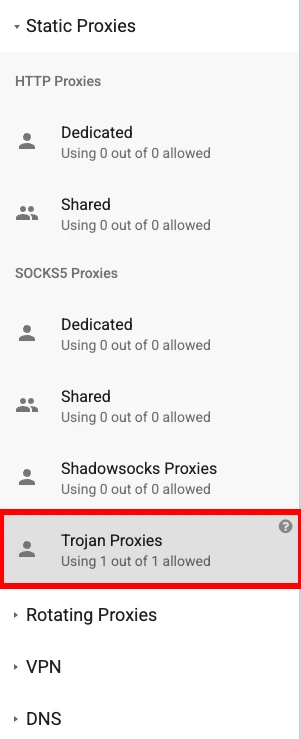
Step 2: In the top bar, select "My Trojan Proxies"

Step 3: See your purchased trojan proxies details
Here, you can find details about your purchased Trojan proxies:
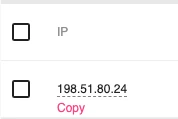
- IP - The IP address of the proxy.
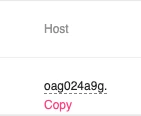
- Host/SNI - The subdomain the Trojan proxy will use.
- Port - The port of the Trojan IP (Trojan proxies only use port 443).
- Password - The proxy password (this is global for all proxies).
- Domain to Connect - The domain the Trojan proxy will use.

You can change the Domain to Connect by clicking on it and selecting a new one. The list is updated periodically. The Trojan proxy will connect to:
{Host/SNI}.{Domain to Connect}
For example, it will be oag024a9g.htmlgames.xyz. Copying the Host/SNI will automatically copy the subdomain and domain in the correct format.
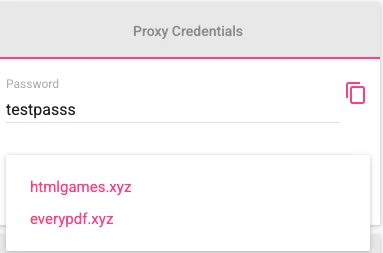
All the required data can be copied with a single press.
2. Install the V2Box - V2ray Client App
Download and install V2Box - V2ray Client from the Apple App Store. You can find it here.
3. Configure the Trojan Proxies with V2Box - V2ray Client
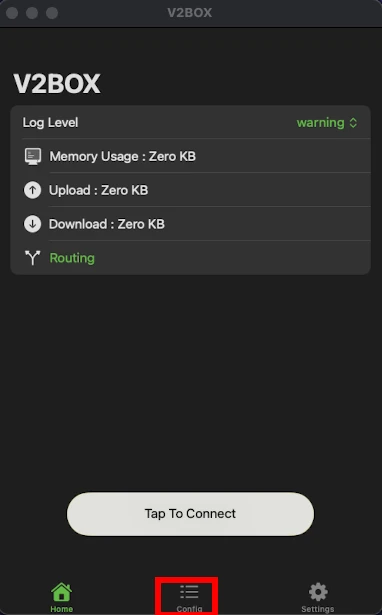
Step 1: Open the V2Box App and Select "Configs"
In the bottom bar, select "Configs".
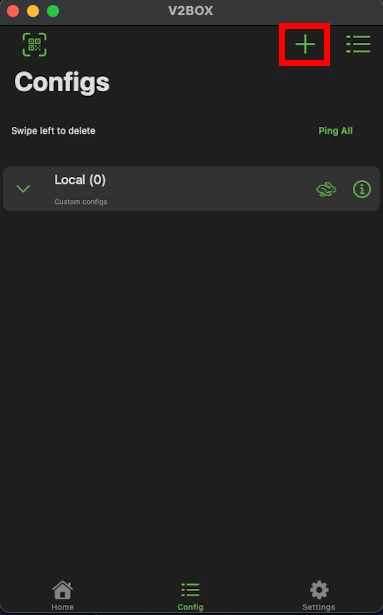
Step 2: Press the Plus Button in the Top-Right Corner
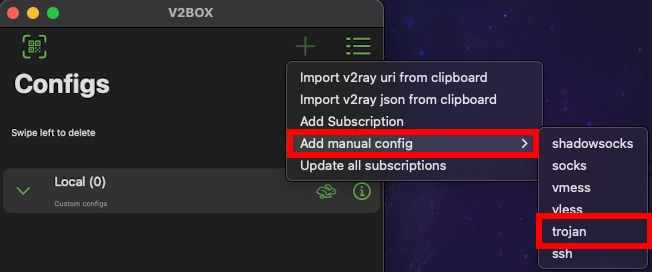
Step 3: Add a Configuration
To add a new configuration:
- Select "Add manual configuration".
- Choose "Trojan".
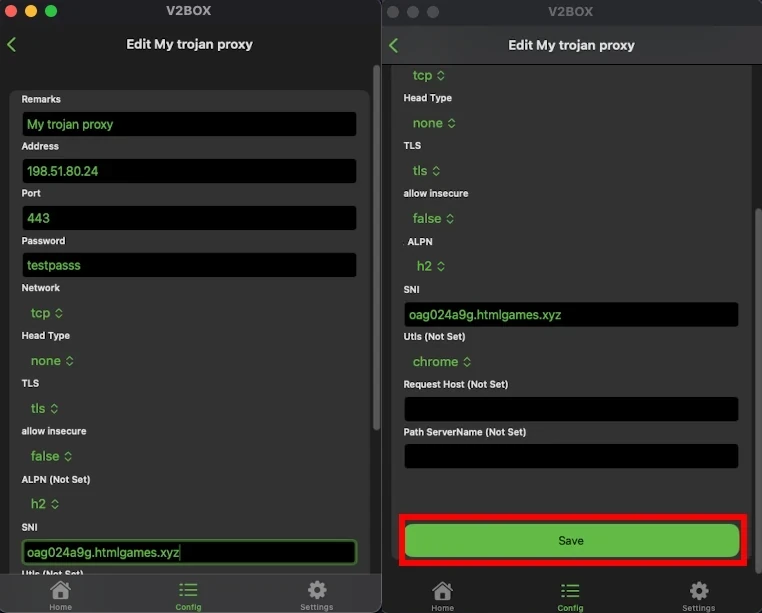
Step 4: Fill in the Configuration with Your Data
- Remarks - Any text to help you identify this Trojan proxy.
- Address - Copy the Trojan proxy IP address from your account.
- Port - Always use
443for Trojan proxies. - Password - Copy the proxy password from your account.
- Network -
"tcp" - Head Type -
"none" - TLS -
"tls" - Allow Insecure -
false - ALPN -
"h2" - SNI - Copy the Host/SNI from your Trojan proxy settings.
- Utls - Leave empty.
- Request Host - Leave empty.
- Path ServerName - Leave empty.
After filling in all the details, press the Save button.
Step 5: Select the Created Configuration
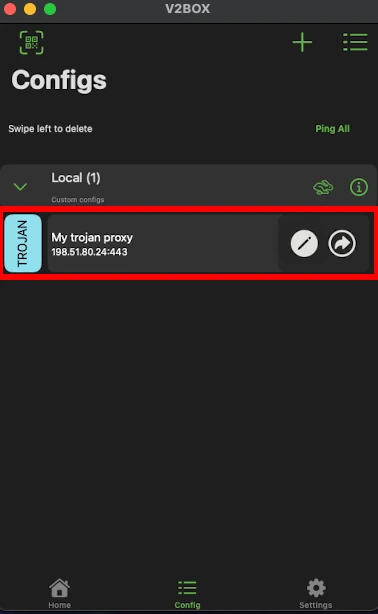
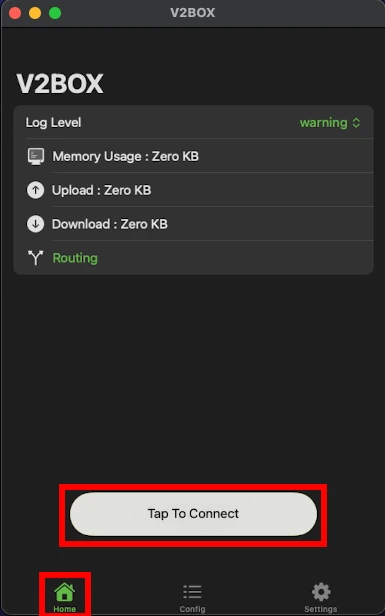
Step 6: Connect to Your Trojan Proxy
Navigate to the home screen and press Tap To Connect.
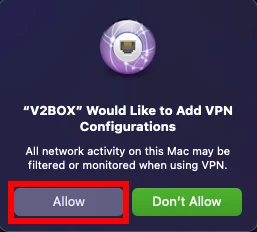
Step 7: Allow VPN Connection
A pop-up will appear, requesting permission to allow V2Box to create and use a VPN connection. Press "Allow".
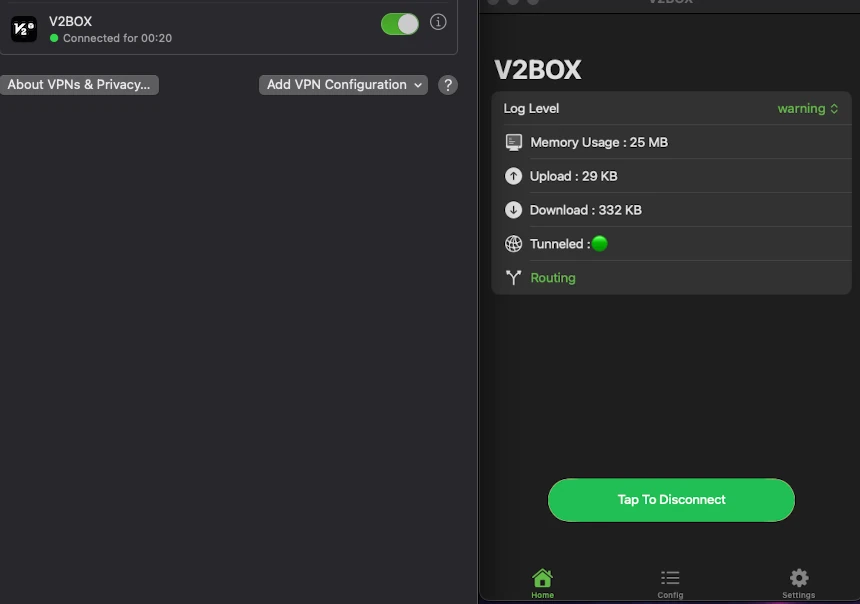
Step 8: You Are Now Connected
You can now browse the internet securely using your Trojan proxy.

Buy Proxy, SOCKS5 & ShadowSocks Now
Buy Proxy now HTTP Proxies or SOCKS5, Dedicated or Shared, Residential or Datacenter. Fully Anonymous and Premium.
Buy Proxy


What Can We Offer You?
We offer a unique proxy infrastructure, monitored 24/7 with a 99% uptime. In the rare event of a failure, we take immediate action to resolve the issue.
Fast HTTP and SOCKS5 Proxies
Our proxy servers are optimized for performance, powered by a 1Gb/s network. Whether you use our residential or datacenter proxies, you'll experience seamless performance.
Privacy and Security Built In
Our static proxies and VPNs (residential or datacenter) ensure 100% anonymity without any IP or DNS leaks. We maintain a no-logs policy.
Pick Country, State, or City
Select proxies by city, state, or country. Our static IP proxies, VPNs, residential or datacenter, can be filtered by your desired location. Residential proxies can also be filtered by ISP.
Proxies With Unlimited Bandwidth
Our Dedicated, Shared, Residential Proxy, SOCKS5, Shadowsocks, and VPNs offer unlimited bandwidth, allowing you to use them as much as you need without any concerns.
QUIC and UDP Support
We are supporting QUIC and UDP on SOCKS5, Shadowsocks, and WireGuard VPN for apps that need faster, real-time traffic.
Amnezia VPN Obfuscation
We are offering Amnezia-based obfuscation for VPN users who need traffic to look more like regular HTTPS.
Choose Your TCP Fingerprint
We offer static Proxies and VPNs with Windows as the default TCP fingerprint, plus MacOs, Linux, Android, and iOS options.
Instant Activation, No Waiting
Purchase proxies with Instant Activation using a Card or PayPal. Transactions with cryptocurrencies require network confirmations.
Dual Authentication
Opt for username and password authentication, or authenticate by adding your IP address to our system. Access your proxy password or add your IP in your account.
Monthly IP Refresh
We offer monthly proxies, both residential and datacenter. For long-term purchases, we provide the option to change proxies directly in your account.
Helpful Support When You Need It
We understand the importance of support. If you have questions about our services, contact us via Live Chat. For any issues, open a support ticket in your account.
Multiple Payment Methods: From Card to Crypto
Buy proxies with Card, PayPal, Bitcoin (BTC), Ethereum (ETH), Litecoin (LTC), Solana (SOL), TRON (TRX), Toncoin (TON), BNB, Polygon, Avalanche, XRP, Cardano, Dogecoin, USDT, USDC, DAI, EURT, and 70+ supported cryptocurrencies.
Our Services
We offer a variety of static and dynamic IP solutions designed for legitimate business and technical use, with global coverage tailored to your project requirements.






High quality & private proxies
Dream no more! Get acquainted with our products today: protected proxy-servers, at incredible speed and minimum cost from you. Still not convinced? Check our proxies features out: - work with any sites/programs - supports HTTP/HTTPS, SOCKS5, ShadowSocks, Trojan protocols - simple login: your proxy password or by your IP
With our proxies you get fast, stable and most important, an anonymous tool to get by on the internet. High quality proxies is our motto. Try our products today: spare 5 minutes from your time to gain continuos work-flow.
Buy Proxy