


SOCKS5 UDP Associate: How UDP Proxying Works, How to Test It, and Common Failures
UDP supports many latency-sensitive applications, including DNS resolvers, real-time voice and video software, online games, and some peer-to-peer protocols. Sending UDP traffic through a SOCKS5 proxy, however, is not as simple as entering a proxy hostname and port.
SOCKS5 includes a command called UDP ASSOCIATE, which allows a client to ask a SOCKS5 server to relay UDP datagrams. Support for this command depends on the implementation. The protocol defines how UDP association works, but a provider, server application, firewall, or client may not support it.
This guide explains how SOCKS5 UDP Associate works, how it differs from TCP proxying, how to run a meaningful UDP test, and what to check when UDP traffic fails.
What Is SOCKS5 UDP Associate?
UDP ASSOCIATE is one of the commands defined by the SOCKS Protocol Version 5 specification (RFC 1928). It allows a SOCKS5 client to establish a control connection to a proxy and then send and receive UDP datagrams through a UDP relay provided by that proxy.
A SOCKS5 client can request three main commands:
- CONNECT — asks the proxy to establish a TCP connection to a destination.
- BIND — asks the proxy to listen for an incoming connection, historically useful in some FTP workflows.
- UDP ASSOCIATE — asks the proxy to establish a UDP relay association.
A SOCKS5 UDP proxy does not convert UDP into TCP. The application continues to send UDP datagrams, while the proxy relay forwards those datagrams to and from the requested destination.
For example, suppose an application needs to contact a UDP service at 203.0.113.20 on port 3478:
- The application opens a TCP connection to its SOCKS5 proxy.
- It completes SOCKS5 authentication, if required.
- It sends a UDP ASSOCIATE request.
- The proxy replies with the address and port of its UDP relay.
- The application sends specially formatted UDP packets to that relay.
- The relay forwards the payload to the destination and returns replies through the association.
The destination sees the proxy relay’s public-facing IP address rather than the client’s direct IP address, subject to the network path and the proxy implementation.
SOCKS5 UDP Versus TCP CONNECT
Although both commands are part of SOCKS5, TCP CONNECT and UDP ASSOCIATE solve different networking problems.
TCP CONNECT Creates a Proxied Stream
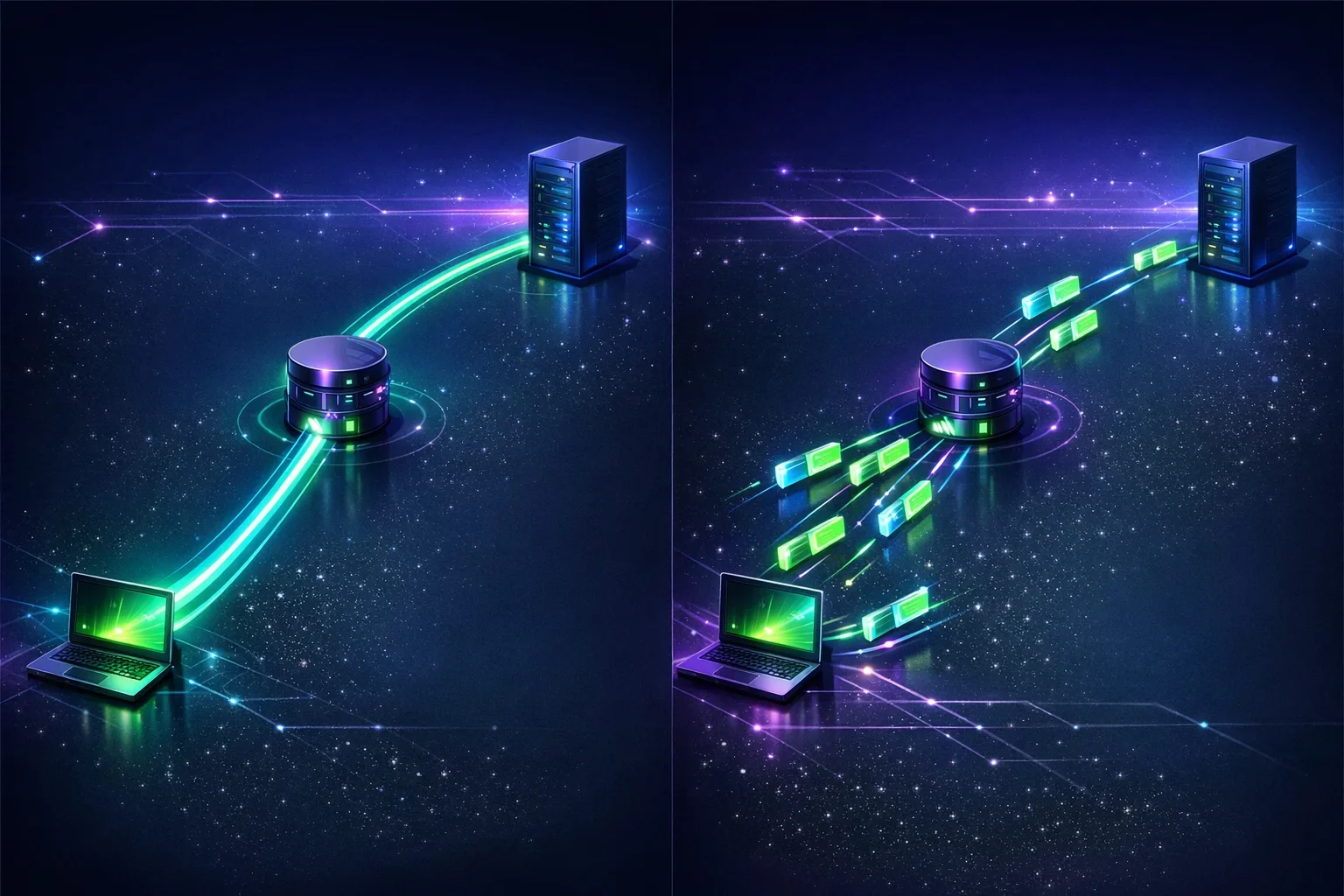
TCP is connection-oriented. Before an application exchanges data, TCP establishes a reliable connection between endpoints. It tracks packet order, retransmits lost data, and provides congestion control.
With SOCKS5 CONNECT, the client asks the proxy to open a TCP connection to a remote host. After the proxy confirms success, the client and destination exchange application data over the proxied TCP stream.
Typical TCP CONNECT use cases include:
- Browsing websites over HTTP or HTTPS
- SSH connections
- Mail protocols
- Database connections
- Applications that use TCP-based APIs
A SOCKS5 proxy may support TCP CONNECT without supporting UDP ASSOCIATE. TCP support alone is therefore not evidence that UDP proxying is available.
UDP ASSOCIATE Relays Individual Datagrams
UDP is connectionless at the transport layer. Each datagram is independent, and UDP does not guarantee delivery, ordering, or duplicate prevention.
With UDP ASSOCIATE, the proxy creates a UDP relay arrangement rather than a TCP stream to each destination. The client places the destination address, destination port, and payload in a SOCKS5 UDP request header, then sends the datagram to the relay.
UDP is often selected when an application prioritizes low latency and can manage loss, ordering, or retransmission itself. Common examples include:
- DNS queries
- Voice-over-IP media
- Multiplayer game traffic
- QUIC-based applications
- STUN traffic used for connectivity discovery
- Custom telemetry or streaming protocols
An application must explicitly support SOCKS5 UDP. Setting an operating-system proxy option, configuring only an HTTP proxy, or using software that supports SOCKS5 for TCP only will not automatically route its UDP traffic through the proxy.
SOCKS5 Is Not Encryption by Itself
SOCKS5 is a proxy protocol, not an encryption protocol. It can authenticate a client to a proxy, but it does not inherently encrypt data exchanged between the client and proxy.
This is especially important for UDP. If the client-to-proxy path is untrusted, observers may be able to inspect unencrypted traffic unless the application uses its own encryption or the traffic is protected by another secure transport. HTTPS, DTLS, TLS-based tunnels, and properly configured VPNs address different parts of the security model.
Authentication also does not guarantee privacy from every party. A proxy operator may still be able to observe connection metadata or unencrypted traffic handled by its infrastructure. Use trusted providers and apply encryption appropriate to the application.
How a SOCKS5 UDP Association Works
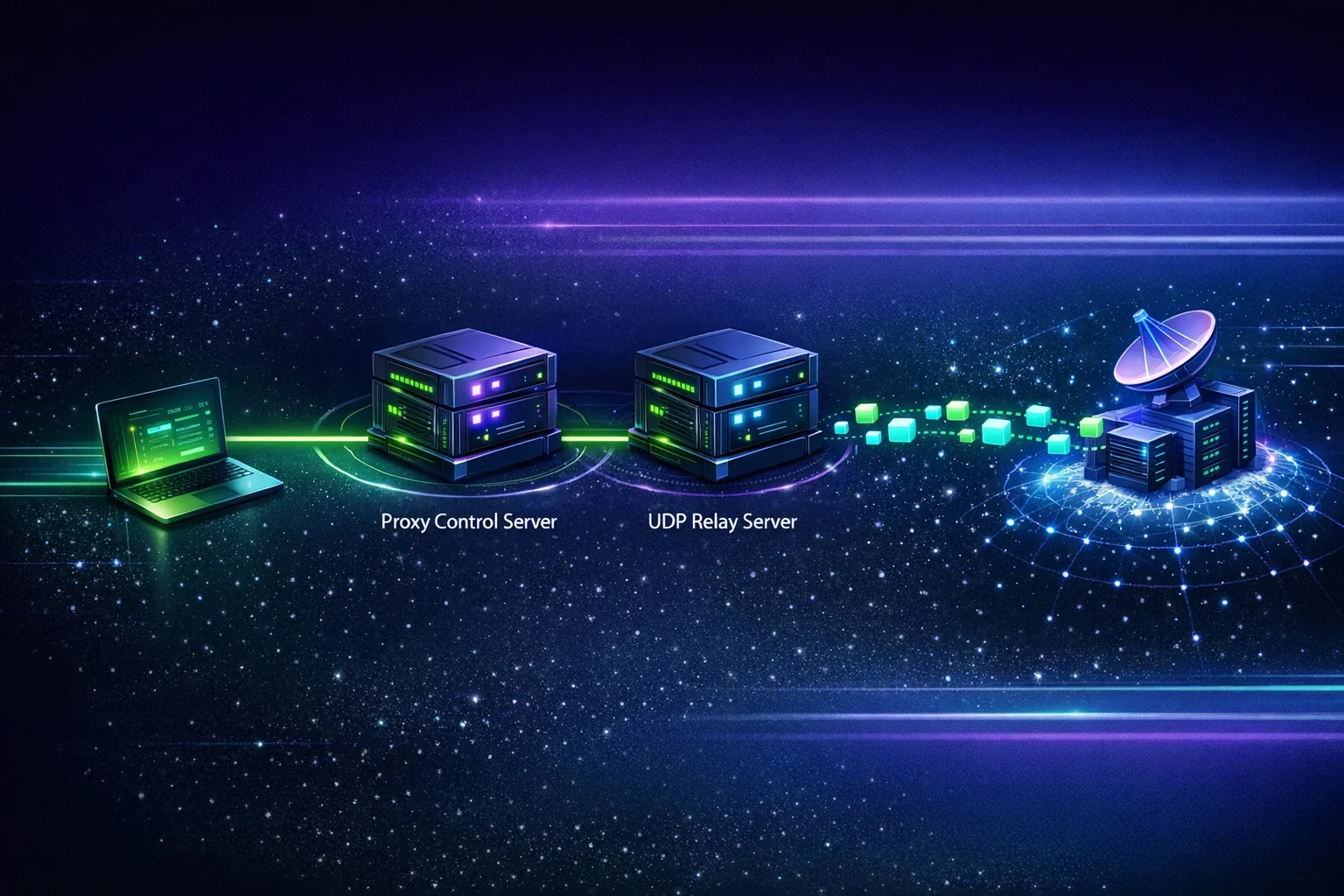
A SOCKS5 UDP association begins over TCP, even though the traffic being proxied is UDP. The TCP connection acts as a control channel and normally must remain open while the UDP association is in use.
1. The Client Establishes the SOCKS5 Control Connection
The client connects to the SOCKS5 server over TCP and performs method negotiation. The client lists the authentication methods it supports, and the server selects an acceptable method.
Possible methods include:
- No authentication
- Username/password authentication
- GSSAPI authentication
Provider-side IP allowlisting may also control access, but it is separate from the SOCKS5 protocol’s authentication negotiation.
2. The Client Sends a UDP ASSOCIATE Request
After authentication, the client sends a SOCKS5 request with the command value UDP ASSOCIATE (0x03).
The request includes DST.ADDR and DST.PORT, which identify the client address and port expected to send UDP datagrams to the relay for that association. The SOCKS5 server may use these values to restrict the association to that client endpoint.
If the client does not know its UDP source address or port when making the request, RFC 1928 requires it to send an all-zero address and port. This may be an IPv4 zero address such as 0.0.0.0 or an IPv6 zero address such as ::, according to the address family used in the request.
The server then replies with:
- A success or error status
- The address of the UDP relay
- The port of the UDP relay
The relay address may differ from the host used for the TCP control connection. If BND.ADDR in the reply is a zero address, RFC 1928 instructs the client to use the IP address of the SOCKS server used for the TCP control connection, while preserving the reply’s address-family context.
3. The Client Sends Encapsulated UDP Datagrams to the Relay
The client does not send a raw application packet directly to the target through the relay. Instead, it sends a SOCKS5 UDP request packet to the relay.
Each UDP request contains:
| Field | Purpose |
|---|---|
RSV | Two reserved bytes, set to zero |
FRAG | Fragment field; fragmentation support is optional. An implementation that does not support fragmentation must drop datagrams with a non-zero value. |
ATYP | Destination address type: IPv4, domain name, or IPv6 |
DST.ADDR | Destination address |
DST.PORT | Destination port |
DATA | Original application UDP payload |
For example, a SOCKS5 client can wrap a DNS datagram with this header and send it to the proxy relay. The relay removes the SOCKS5 UDP header, forwards the DNS payload to the selected DNS server, and then wraps the response for the client.
4. The Relay Returns Response Datagrams
When the destination replies, the relay sends the response to the client’s UDP endpoint. The response includes the remote destination’s source address and source port in its SOCKS5 UDP header.
The client removes the header and delivers the original payload to the application.
5. The Association Ends with the TCP Connection
Under RFC 1928, the UDP association is tied to the TCP control connection. When the client closes that TCP connection, the proxy must terminate the UDP association.
This creates a common troubleshooting issue: UDP packets may stop working if the application closes the SOCKS5 TCP control channel too early, a NAT device expires a mapping, or a firewall interrupts the control connection.
How to Test UDP Connectivity Correctly
“UDP test” can describe several different checks. Before interpreting a result, identify what is actually being tested.

A successful UDP test to a public endpoint can show that your device and network can exchange UDP packets with that endpoint. It does not prove that a SOCKS5 server supports UDP ASSOCIATE.
Similarly, a successful TCP proxy check proves only that a TCP connection and, where applicable, SOCKS5 authentication or TCP CONNECT can work. It does not demonstrate UDP relay support.
Test Direct UDP Connectivity
To test whether your current network can reach a UDP endpoint directly, use a trusted UDP testing service or a controlled server that you operate. ProxySocks5 provides a UDP test tool for checking UDP connectivity.
A direct UDP test can help identify issues such as:
- A network blocking outbound UDP
- A restrictive guest Wi-Fi network
- Firewall rules blocking a destination port
- A local security product filtering traffic
- A UDP service that does not respond
Because UDP has no connection handshake, a failed result can be ambiguous. The packet may have been lost, blocked, sent to the wrong address, or received by a service that does not reply. A negative test is evidence to investigate, not definitive proof of one specific failure.
Test SOCKS5 TCP Functionality Separately
Before testing SOCKS5 UDP, validate basic proxy access:
- Confirm the proxy hostname, port, credentials, and allowlisted source IP, if applicable.
- Test a TCP-capable application through the proxy.
- Use a proxy checker where appropriate to validate reachability and basic proxy configuration.
- Confirm that the client is configured for SOCKS5 rather than HTTP proxy mode.
This narrows the problem. If TCP proxying fails, resolve authentication, DNS, routing, firewall, or account configuration issues before investigating UDP.
Test UDP ASSOCIATE with a SOCKS5-Aware Client
A valid SOCKS5 UDP test requires client software that actually sends a UDP ASSOCIATE request and communicates with the relay returned by the proxy.
A meaningful test sequence is:
- Connect to the SOCKS5 proxy over TCP.
- Complete authentication.
- Send
UDP ASSOCIATE, using the client UDP address and port expected to send datagrams to the relay, or all-zero address and port when those values are unavailable. - Confirm that the proxy replies with success.
- Send a correctly encapsulated UDP packet to the returned relay address and port.
- Confirm a response from a known UDP service or a controlled UDP echo server.
- Keep the TCP control connection open throughout the test.
Packet-capture tools can help during testing. On the client, you should see:
- A TCP session to the SOCKS5 proxy
- A SOCKS5 UDP ASSOCIATE request and successful reply
- UDP packets to the relay address and port
- UDP replies from the relay
Do not use a direct UDP connectivity tester as evidence that a specific SOCKS5 proxy supports UDP. Only a successful UDP ASSOCIATE exchange and relayed traffic test can establish that.
Common SOCKS5 UDP Errors and Limitations
UDP proxy failures can originate in the application, proxy server, local network, or destination service. An error message alone may not identify the failing layer.
The Proxy Supports TCP but Not UDP ASSOCIATE
This is a common limitation. A provider may offer SOCKS5 endpoints but enable only TCP CONNECT. Server software may also disable UDP relay support because of policy, capacity, abuse-prevention, or network-design considerations.
What to do: Ask the provider whether the specific endpoint supports SOCKS5 UDP ASSOCIATE. Verify that support applies to your selected location, authentication method, and plan instead of assuming all SOCKS5 endpoints behave identically.
The Application Does Not Implement SOCKS5 UDP
Many applications provide SOCKS5 settings but route only TCP traffic through the proxy. Others may use SOCKS5 for application data while resolving DNS locally or using a separate UDP subsystem outside the proxy configuration.
What to do: Check the application’s documentation for explicit UDP ASSOCIATE support. If the application does not support it, a SOCKS5 proxy setting may not be enough.
The Control Connection Closes or Times Out
Because the TCP control connection maintains the UDP association, closing it can stop UDP relay traffic. NAT devices and firewalls can also expire idle UDP mappings more quickly than TCP sessions.
What to do: Keep the control session open, test with ongoing traffic where appropriate, and review idle-timeout settings on the client, firewall, and proxy server.
The Client Sends UDP to the Wrong Relay Address
The UDP relay may use a different address or port from the SOCKS5 TCP endpoint. Hard-coding the TCP proxy port as the UDP destination is incorrect unless the server explicitly returned that same address and port.
What to do: Use the BND.ADDR and BND.PORT values returned in the UDP ASSOCIATE response. If BND.ADDR is a zero address, use the IP address of the SOCKS server used for the TCP control connection, in the applicable address-family context.
A Firewall or Network Blocks UDP
Corporate networks, hotel Wi-Fi, mobile networks, and local firewalls may block or rate-limit outbound UDP. Some networks permit DNS over UDP but block uncommon ports, while others block UDP broadly.
What to do: Compare results from another trusted network, review firewall rules, and test a known responding UDP endpoint. Do not disable security controls without authorization.
Fragmentation Is Unsupported
SOCKS5 defines a fragmentation field in the UDP request header, but fragmentation support is optional. An implementation that does not support fragmentation must drop datagrams with a non-zero FRAG field.
What to do: Avoid depending on SOCKS5 UDP fragmentation unless the specific client and server document support for it.
DNS Behaves Differently Than Expected
When a client uses a domain name in the SOCKS5 UDP request, the proxy relay may resolve that name. However, some clients resolve names locally before creating the request, potentially exposing DNS queries to the local network or producing different address-family results.
What to do: Determine whether the client uses remote or local DNS resolution, and test both hostname and IP-address destinations where relevant.
When to Use a UDP-Capable SOCKS5 Proxy
A UDP-capable SOCKS5 proxy is useful when an application needs UDP traffic to originate through a proxy relay and the application natively supports SOCKS5 UDP Associate.
Potential legitimate use cases include:
- Testing how a UDP-based service responds from a proxy location
- Routing supported DNS, STUN, gaming, or telemetry traffic through a proxy
- Development and network troubleshooting in an authorized environment
- Testing application behavior across controlled network paths
Before choosing a proxy, verify more than its protocol label. Ask whether the endpoint supports:
- SOCKS5 UDP ASSOCIATE specifically
- The geographic location and IP type you need
- Your required authentication method
- IPv4 and/or IPv6 destinations
- The expected UDP ports and traffic type
- Any session, bandwidth, or idle-timeout constraints
Use the proxy only for authorized services and in accordance with the destination’s terms, applicable law, and your organization’s network policies.
Practical Troubleshooting Checklist
When SOCKS5 UDP traffic does not work, isolate one layer at a time:
- Confirm that the client can reach the SOCKS5 server over TCP.
- Verify credentials and any provider-side IP allowlisting.
- Confirm that the client supports SOCKS5 UDP Associate, not only TCP CONNECT.
- Inspect the UDP ASSOCIATE reply code and relay address and port.
- Keep the SOCKS5 TCP control connection open.
- Ensure that the client sends UDP packets to the returned relay endpoint.
- Confirm that packets use a valid SOCKS5 UDP header with
FRAGset to zero unless fragmentation is known to be supported. - Test a known responding UDP service or a controlled echo server.
- Compare results on another authorized network to identify local UDP filtering.
- Capture traffic, where permitted, to determine whether packets leave the client and whether replies return.
This process avoids a common mistake: treating every UDP failure as a proxy failure. The cause may be a client limitation, destination behavior, local firewall policy, network address translation, or an unsupported server feature.
Sources
- Leech, M. et al. RFC 1928: SOCKS Protocol Version 5
- Leech, M. RFC 1929: Username/Password Authentication for SOCKS V5
- Internet Engineering Task Force. RFC 768: User Datagram Protocol
- Internet Engineering Task Force. RFC 9293: Transmission Control Protocol
FAQ
1. Does Every SOCKS5 Proxy Support UDP?
No. UDP ASSOCIATE is defined in SOCKS5, but server and provider support is optional. A SOCKS5 proxy may support TCP CONNECT only. Confirm UDP ASSOCIATE support for the specific proxy endpoint before relying on it.
2. Does a Successful UDP Test Prove My SOCKS5 Proxy Supports UDP?
No. A direct UDP test only indicates whether UDP communication with the test endpoint works from your network. To confirm SOCKS5 UDP support, use a SOCKS5-aware client that successfully completes UDP ASSOCIATE and relays UDP traffic through the proxy.
3. Why Does SOCKS5 UDP Need a TCP Connection?
SOCKS5 uses a TCP control connection to negotiate authentication and establish the UDP association. In the UDP ASSOCIATE request, the client provides the address and port expected to send UDP datagrams to the relay, or uses all-zero values when those are unknown. RFC 1928 ties the association to the TCP connection, so closing the control connection ends the UDP association.
4. Is SOCKS5 UDP Encrypted?
Not by SOCKS5 itself. SOCKS5 can authenticate clients, but it does not provide inherent payload encryption. Use application-layer encryption or another appropriate secure tunnel when confidentiality and integrity are required.
5. Why Can I Connect Through a SOCKS5 Proxy but Not Use UDP?
Your proxy may support TCP CONNECT but not UDP ASSOCIATE, your application may not implement SOCKS5 UDP, or a firewall may be blocking UDP. Check the UDP ASSOCIATE response, client documentation, relay endpoint, and network policy.

Buy Proxy, SOCKS5 & ShadowSocks Now
Buy Proxy now HTTP Proxies or SOCKS5, Dedicated or Shared, Residential or Datacenter. Fully Anonymous and Premium.
Buy Proxy


What Can We Offer You?
We offer a unique proxy infrastructure, monitored 24/7 with a 99% uptime. In the rare event of a failure, we take immediate action to resolve the issue.
Fast HTTP and SOCKS5 Proxies
Our proxy servers are optimized for performance, powered by a 1Gb/s network. Whether you use our residential or datacenter proxies, you'll experience seamless performance.
Privacy and Security Built In
Our static proxies and VPNs (residential or datacenter) ensure 100% anonymity without any IP or DNS leaks. We maintain a no-logs policy.
Pick Country, State, or City
Select proxies by city, state, or country. Our static IP proxies, VPNs, residential or datacenter, can be filtered by your desired location. Residential proxies can also be filtered by ISP.
Proxies With Unlimited Bandwidth
Our Dedicated, Shared, Residential Proxy, SOCKS5, Shadowsocks, and VPNs offer unlimited bandwidth, allowing you to use them as much as you need without any concerns.
QUIC and UDP Support
We are supporting QUIC and UDP on SOCKS5, Shadowsocks, and WireGuard VPN for apps that need faster, real-time traffic.
Amnezia VPN Obfuscation
We are offering Amnezia-based obfuscation for VPN users who need traffic to look more like regular HTTPS.
Choose Your TCP Fingerprint
We offer static Proxies and VPNs with Windows as the default TCP fingerprint, plus MacOs, Linux, Android, and iOS options.
Instant Activation, No Waiting
Purchase proxies with Instant Activation using a Card or PayPal. Transactions with cryptocurrencies require network confirmations.
Dual Authentication
Opt for username and password authentication, or authenticate by adding your IP address to our system. Access your proxy password or add your IP in your account.
Monthly IP Refresh
We offer monthly proxies, both residential and datacenter. For long-term purchases, we provide the option to change proxies directly in your account.
Helpful Support When You Need It
We understand the importance of support. If you have questions about our services, contact us via Live Chat. For any issues, open a support ticket in your account.
Multiple Payment Methods: From Card to Crypto
Buy proxies with Card, PayPal, Bitcoin (BTC), Ethereum (ETH), Litecoin (LTC), Solana (SOL), TRON (TRX), Toncoin (TON), BNB, Polygon, Avalanche, XRP, Cardano, Dogecoin, USDT, USDC, DAI, EURT, and 70+ supported cryptocurrencies.
Our Services
We offer a variety of static and dynamic IP solutions designed for legitimate business and technical use, with global coverage tailored to your project requirements.


High quality & private proxies
Dream no more! Get acquainted with our products today: protected proxy-servers, at incredible speed and minimum cost from you. Still not convinced? Check our proxies features out: - work with any sites/programs - supports HTTP/HTTPS, SOCKS5, ShadowSocks, Trojan protocols - simple login: your proxy password or by your IP
With our proxies you get fast, stable and most important, an anonymous tool to get by on the internet. High quality proxies is our motto. Try our products today: spare 5 minutes from your time to gain continuos work-flow.
Buy Proxy